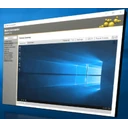
It's feature rich and includes a built-in remote desktop viewer for Hardware-KVM, a Serial-over-LAN terminal, IDER-Redirection support and much more. MeshCommander is built on web technologies and runs on many platforms. In addition to being available as a stand-alone tool, MeshCommander was built to be very space efficient so that it can be uploaded into Intel AMT flash space to have it served directly from the Intel AMT web server. There are different ways to install and use MeshCommander.
厂商介绍(英语)
MeshCommander是什么软件?
MeshCommander是Ylianst推出的一款开源的Windows软件,属于「IT管理」类。在本站「IT管理」分类中,按热度排名第7。主要使用HTML开发。
安装与系统要求
官方提供适用于32位系统的安装包,格式为MSI。主安装包大小为33.5 MB。安装时需要管理员权限。安装程序支持无人值守(静默)安装。提供MSI安装包,可通过组策略、Intune或Configuration Manager批量部署。
热度与文件关联
Chocolatey软件包累计下载23,324次。GitHub上的源代码仓库(Ylianst/MeshCommander)获得了687个星标。同类软件还有Salt Minion、GLPI Agent和WinBox。
GitHub项目简介: “MeshCommander is a Intel(R) Active Management Technology (Intel(R) AMT) remote management tool. It's feature rich and includes a built-in remote desktop viewer for Hardware-KVM, a Serial-over-LAN terminal, IDER-Redirection support and much more. MeshCommander is built on web technologies and runs on many plaforms. In addition to being available as a stand-alone tool, MeshCommander was built to be very space efficient to that it can be uploaded into Intel AMT flash space to have it served diretly from the Intel AMT web serve.”
优点 / 不足
优点
- 开源:任何人都可以查看和编译源代码
- 提供MSI安装包,便于企业部署
- 有文档说明的静默安装参数
不足
- 没有原生ARM64版本
- 仅有32位版本
- 安装需要管理员权限
总结: MeshCommander是一款适用于32位电脑的开源Windows软件,归入「IT管理」类。IT管理员可以进行无人值守部署。
MeshCommander下载安全吗?
- 文件由meshcommander.com提供,请确认它是厂商的官方镜像
- 下载链接使用HTTPS
- 已公布SHA256值,可校验文件完整性:
AD8DDF812EAA3532CE3A63651CAB0C8110D071412C366B3491C9ECD2D03ADFB4· 查看该哈希值的VirusTotal报告 - 最近一次检测时链接可正常访问(2026年10月22日)
- 源代码公开
- ExeAtlas不托管、不捆绑、不修改安装包
相关教程: Windows下如何校验文件的SHA256哈希值
最近版本
全部1个版本 ›命令行安装
静默安装 ›winget install --id Ylianst.MeshCommander -echoco install meshcommander -ymsiexec /i MeshCommander-0.9.7.msi /qn /norestartmsiexec /x {FE14470C-795C-4524-97C8-660C03CC30D8} /qn /norestart相关教程: winget使用教程:安装和更新软件
软件信息
- 厂商
- Ylianst
- 分类
- IT管理
- 许可
- Apache-2.0
- 价格
- 免费
- 源代码
- github.com/Ylianst/MeshCommander
- 开发语言
- HTML
- 系统要求
- Windows 11 / 10
- 架构
- 32位
- 安装包类型
- MSI
- 版本
- 0.9.7
- 发布日期
- 2026年2月28日
- 收录日期
- 2026年9月1日
- 收录版本数
- 1
- Chocolatey下载量
- 23,324
- GitHub星标
- 687
- GitHub分叉数
- 121
- 官网
- github.com
- winget ID
- Ylianst.MeshCommander
- Chocolatey包名
- meshcommander
- MSI产品代码
- {FE14470C-795C-4524-97C8-660C03CC30D8}
评分与评价
暂无评价,欢迎第一个评分。
MeshCommander替代软件
查看全部 ›-
 开源125.8万 ↓
 -
 开源46万 ↓
 -
 商业软件75.1万 ↓
 -
 免费1066 ↓
 -
 开源186 ↓
 - 开源2万 ↓
-
 商业软件9693 ↓
 -
 开源★ 4020
常见问题
MeshCommander是免费的吗?
是的。MeshCommander是开源软件,采用Apache-2.0许可证。
MeshCommander下载安全吗?
安装包来自meshcommander.com;ExeAtlas不托管也不修改文件。可以将下载文件的SHA256值与本页显示的值比对,或查看该哈希值的VirusTotal报告。
如何用winget安装MeshCommander?
打开PowerShell或Windows终端,运行本页提供的winget命令即可。winget会下载官方安装包,并在运行前校验其SHA256值。
MeshCommander支持静默安装吗?
支持。静默安装页面列出了每个安装包对应的完整命令,包括MSI安装包的msiexec命令。
MeshCommander能在ARM电脑(Windows on Arm)上运行吗?
没有ARM64版本;Windows 11 on Arm可以通过模拟运行32位版本。
MeshCommander有哪些替代软件?
Salt Minion、GLPI Agent、WinBox、EPA SWMM 5.2.4 (64-bit)和CMTrace Open。替代软件页面对它们做了对比。

