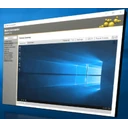
It's feature rich and includes a built-in remote desktop viewer for Hardware-KVM, a Serial-over-LAN terminal, IDER-Redirection support and much more. MeshCommander is built on web technologies and runs on many platforms. In addition to being available as a stand-alone tool, MeshCommander was built to be very space efficient so that it can be uploaded into Intel AMT flash space to have it served directly from the Intel AMT web server. There are different ways to install and use MeshCommander.
ထုတ်ဝေသူ၏ ဖော်ပြချက် (အင်္ဂလိပ်)
MeshCommander ဆိုတာ ဘာလဲ
MeshCommander သည် Ylianst ထုတ်ဝေသော Windows အတွက် ပွင့်လင်းရင်းမြစ် IT စီမံခန့်ခွဲမှု အမျိုးအစား ပရိုဂရမ် ဖြစ်ပါသည်။ ဤစာရင်းရှိ IT စီမံခန့်ခွဲမှု အမျိုးအစားထဲတွင် လူကြိုက်များမှုအရ အဆင့် ၇ ဖြစ်ပါသည်။ HTML ဖြင့် ရေးသားထားပါသည်။
ထည့်သွင်းခြင်းနှင့် လိုအပ်ချက်များ
တရားဝင် installer များကို 32-bit အတွက် MSI ပုံစံဖြင့် ရနိုင်ပါသည်။ ပင်မ installer ၏ အရွယ်အစားမှာ ၃၃.၅ MB ဖြစ်ပါသည်။ ထည့်သွင်းရာတွင် Administrator ခွင့် လိုအပ်ပါသည်။ Installer သည် လူမပါဘဲ အလိုအလျောက် (အသံတိတ်) ထည့်သွင်းခြင်းကို ပံ့ပိုးပါသည်။ Group Policy၊ Intune သို့မဟုတ် Configuration Manager ဖြင့် ဖြန့်ဝေရန် MSI package ရနိုင်ပါသည်။
လူကြိုက်များမှုနှင့် ဖိုင်အမျိုးအစားများ
Chocolatey package ကို ၂၃,၃၂၄ ကြိမ် ဒေါင်းလုဒ်လုပ်ထားပါသည်။ GitHub ပေါ်ရှိ source code (Ylianst/MeshCommander) တွင် ကြယ် ၆၈၇ ပွင့် ရှိပါသည်။ ဆင်တူသော ပရိုဂရမ်များတွင် Salt Minion၊ GLPI Agent နှင့် WinBox ပါဝင်ပါသည်။
GitHub ပေါ်ရှိ ပရောဂျက်ဖော်ပြချက်: “MeshCommander is a Intel(R) Active Management Technology (Intel(R) AMT) remote management tool. It's feature rich and includes a built-in remote desktop viewer for Hardware-KVM, a Serial-over-LAN terminal, IDER-Redirection support and much more. MeshCommander is built on web technologies and runs on many plaforms. In addition to being available as a stand-alone tool, MeshCommander was built to be very space efficient to that it can be uploaded into Intel AMT flash space to have it served diretly from the Intel AMT web serve.”
အားသာချက်များ / အားနည်းချက်များ
အားသာချက်များ
- ပွင့်လင်းရင်းမြစ် - code ကို မည်သူမဆို စစ်ဆေး၍ build လုပ်နိုင်သည်
- စီမံဖြန့်ဝေရန် MSI package ရှိသည်
- အသံတိတ်ထည့်သွင်းခြင်းကို မှတ်တမ်းတင်ထားသည်
အားနည်းချက်များ
- Native ARM64 build မရှိပါ
- 32-bit သာ ရှိသည်
- ထည့်သွင်းရာတွင် Administrator ခွင့် လိုအပ်သည်
အတိုချုပ်: MeshCommander သည် 32-bit ကွန်ပျူတာများအတွက် ပွင့်လင်းရင်းမြစ် IT စီမံခန့်ခွဲမှု ကိရိယာ ဖြစ်ပါသည်။ စီမံခန့်ခွဲသူများသည် လူမပါဘဲ ဖြန့်ဝေနိုင်ပါသည်။
MeshCommander ကို ဒေါင်းလုဒ်လုပ်ရန် လုံခြုံပါသလား
- ဖိုင်ကို meshcommander.com မှ ပေးပို့ပါသည်။ ထုတ်ဝေသူ၏ တရားဝင် mirror ဟုတ်မဟုတ် စစ်ဆေးပါ
- ဒေါင်းလုဒ်လင့်ခ်သည် HTTPS ကို အသုံးပြုပါသည်
- SHA256 hash ထုတ်ပြန်ထားသဖြင့် ဖိုင်ကို စစ်ဆေးနိုင်ပါသည်:
AD8DDF812EAA3532CE3A63651CAB0C8110D071412C366B3491C9ECD2D03ADFB4· ဤ hash ၏ VirusTotal အစီရင်ခံစာကို ဖွင့်ပါ - နောက်ဆုံးစစ်ဆေးချိန် (၂၀၂၆ အောက်တိုဘာ ၂၂) တွင် လင့်ခ် တုံ့ပြန်ခဲ့ပါသည်
- Source code ကို အများပြည်သူ ကြည့်နိုင်ပါသည်
- ExeAtlas သည် installer များကို မသိမ်းဆည်း၊ မထုပ်ပိုး၊ မပြင်ဆင်ပါ
ဆက်စပ် လမ်းညွှန်: Windows တွင် ဖိုင်၏ SHA256 hash စစ်ဆေးနည်း
မကြာသေးမီ ဗားရှင်းများ
ဗားရှင်း ၁ ခုလုံး ›| ဗားရှင်း | ရက်စွဲ | အရွယ်အစား | ဖိုင်များ |
|---|---|---|---|
| 0.9.7နောက်ဆုံး | ၂၀၂၆ ဖေဖော်ဝါရီ ၂၈ | ၃၃.၅ MB | 32-bit MSI |
Command line မှ ထည့်သွင်းခြင်း
အသံတိတ်ထည့်သွင်းခြင်း ›winget install --id Ylianst.MeshCommander -echoco install meshcommander -ymsiexec /i MeshCommander-0.9.7.msi /qn /norestartmsiexec /x {FE14470C-795C-4524-97C8-660C03CC30D8} /qn /norestartဆက်စပ် လမ်းညွှန်: winget အသုံးပြုနည်း - ပရိုဂရမ် ထည့်သွင်းခြင်းနှင့် အပ်ဒိတ်
အချက်အလက်
- ထုတ်ဝေသူ
- Ylianst
- အမျိုးအစား
- IT စီမံခန့်ခွဲမှု
- လိုင်စင်
- Apache-2.0
- စျေးနှုန်း
- အခမဲ့
- Source code
- github.com/Ylianst/MeshCommander
- ရေးသားထားသည့် ဘာသာ
- HTML
- လိုအပ်ချက်
- Windows 11 / 10
- Architecture
- 32-bit
- Installer အမျိုးအစား
- MSI
- ဗားရှင်း
- 0.9.7
- ထုတ်ဝေသည့်နေ့
- ၂၀၂၆ ဖေဖော်ဝါရီ ၂၈
- စာရင်းထဲ ထည့်သည့်နေ့
- ၂၀၂၆ စက်တင်ဘာ ၁
- စာရင်းရှိ ဗားရှင်းများ
- 1
- Chocolatey ဒေါင်းလုဒ်
- ၂၃,၃၂၄
- GitHub ကြယ်
- ၆၈၇
- GitHub fork များ
- ၁၂၁
- ဝဘ်ဆိုက်
- github.com
- winget ID
- Ylianst.MeshCommander
- Chocolatey package
- meshcommander
- MSI product code
- {FE14470C-795C-4524-97C8-660C03CC30D8}
အဆင့်သတ်မှတ်ချက်နှင့် သုံးသပ်ချက်များ
သုံးသပ်ချက် မရှိသေးပါ။ ပထမဆုံး အဆင့်သတ်မှတ်သူ ဖြစ်လိုက်ပါ။
MeshCommander အစားထိုးပရိုဂရမ်များ
အားလုံးကြည့်ရန် ›-
 ပွင့်လင်းရင်းမြစ် (open source)၁.၃ သန်း ↓
 -
 ပွင့်လင်းရင်းမြစ် (open source)၄.၆ သိန်း ↓
 -
 မူပိုင် (proprietary)၇.၅ သိန်း ↓
 -
 အခမဲ့၁.၁ ထောင် ↓
 -
 ပွင့်လင်းရင်းမြစ် (open source)၁၈၆ ↓
 - ပွင့်လင်းရင်းမြစ် (open source)၂ သောင်း ↓
-
 မူပိုင် (proprietary)၉.၇ ထောင် ↓
 -
 ပွင့်လင်းရင်းမြစ် (open source)★ ၄ ထောင်
မေးလေ့ရှိသောမေးခွန်းများ
MeshCommander သည် အခမဲ့လား
ဟုတ်ပါသည်။ MeshCommander သည် ပွင့်လင်းရင်းမြစ် ဆော့ဖ်ဝဲ ဖြစ်ပါသည် (Apache-2.0 လိုင်စင်)။
MeshCommander ကို ဒေါင်းလုဒ်လုပ်ရန် လုံခြုံပါသလား
ဒေါင်းလုဒ်ကို meshcommander.com မှ ရယူပါသည်။ ExeAtlas သည် ဖိုင်ကို မသိမ်းဆည်း၊ မပြောင်းလဲပါ။ ဖိုင်၏ SHA256 hash ကို ဤနေရာတွင် ပြထားသော hash နှင့် နှိုင်းယှဉ်ပါ သို့မဟုတ် ထို hash ၏ VirusTotal အစီရင်ခံစာကို ဖွင့်ကြည့်ပါ။
MeshCommander ကို winget ဖြင့် ဘယ်လို ထည့်သွင်းရမလဲ
PowerShell သို့မဟုတ် Windows Terminal ကို ဖွင့်ပြီး ဤစာမျက်နှာရှိ winget command ကို run ပါ။ winget သည် တရားဝင် installer ကို ဒေါင်းလုဒ်လုပ်ပြီး မ run မီ ၎င်း၏ SHA256 hash ကို စစ်ဆေးပါသည်။
MeshCommander ကို အသံတိတ် ထည့်သွင်းနိုင်ပါသလား
နိုင်ပါသည်။ အသံတိတ်ထည့်သွင်းခြင်း စာမျက်နှာတွင် installer တစ်ခုစီအတွက် တိကျသော command ကို ပြထားပါသည် (MSI package အတွက် msiexec အပါအဝင်)။
MeshCommander သည် ARM (Windows on Arm) တွင် အလုပ်လုပ်ပါသလား
ARM64 build မရှိပါ။ Windows 11 on Arm သည် 32-bit ဗားရှင်းကို emulation ဖြင့် run နိုင်ပါသည်။
MeshCommander အစား ဘာတွေ သုံးနိုင်သလဲ
Salt Minion၊ GLPI Agent၊ WinBox၊ EPA SWMM 5.2.4 (64-bit) နှင့် CMTrace Open။ အစားထိုးပရိုဂရမ်များ စာမျက်နှာတွင် ၎င်းတို့ကို နှိုင်းယှဉ်ထားပါသည်။

