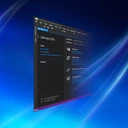
DISMTools is an advanced front-end for the Deployment Image Servicing and Management (DISM) tool, with support for projects and installations of any kind (whether it is your active installation or installations on any drive). DISMTools focuses on compatibility, with Windows image support starting from Windows 7 and Server 2008 R2, personalization, letting you customize it the way you want by configuring settings like the DISM executable to use, color modes, languages, and more; and performance, thanks to a combination of the DISM executable and a managed version of the DISM API (thanks to Jeff Kluge (jeffkl) for maintaining it) that provides rich functionality at speed.
ထုတ်ဝေသူ၏ ဖော်ပြချက် (အင်္ဂလိပ်)
DISMTools Preview ဆိုတာ ဘာလဲ
DISMTools Preview သည် CodingWonders Software ထုတ်ဝေသော Windows အတွက် ပွင့်လင်းရင်းမြစ် IT စီမံခန့်ခွဲမှု အမျိုးအစား ပရိုဂရမ် ဖြစ်ပါသည်။ ဤစာရင်းရှိ IT စီမံခန့်ခွဲမှု အမျိုးအစားထဲတွင် လူကြိုက်များမှုအရ အဆင့် ၂၅ ဖြစ်ပါသည်။ Visual Basic .NET ဖြင့် ရေးသားထားပါသည်။
ထည့်သွင်းခြင်းနှင့် လိုအပ်ချက်များ
တရားဝင် installer များကို CPU အားလုံး အတွက် EXE (Inno Setup) ပုံစံဖြင့် ရနိုင်ပါသည်။ Installer သည် လူမပါဘဲ အလိုအလျောက် (အသံတိတ်) ထည့်သွင်းခြင်းကို ပံ့ပိုးပါသည်။
အပ်ဒိတ်များနှင့် ဗားရှင်းမှတ်တမ်း
နောက်ဆုံးဗားရှင်းမှာ 0.8.2.26102 ဖြစ်ပါသည် (၂၀၂၆ အောက်တိုဘာ ၂၄ တွင် ထုတ်ဝေ)။ ၂၀၂၄ မတ် ၄ မှစ၍ ဗားရှင်း ၆၄ ခုကို စာရင်းပြုထားပြီး တစ်ခုစီတွင် ကိုယ်ပိုင် installer ဖိုင်လင့်ခ်များ ပါဝင်ပါသည်။ ဆိုလိုသည်မှာ တစ်နှစ်လျှင် ထုတ်ဝေမှု ၂၄ ခုခန့် ဖြစ်ပါသည်။ နောက်ဆုံးအပ်ဒိတ်သည် တစ်လမပြည့်သေးပါ။
လူကြိုက်များမှုနှင့် ဖိုင်အမျိုးအစားများ
GitHub ပေါ်ရှိ source code (CodingWonders/DISMTools) တွင် ကြယ် ၁,၅၄၅ ပွင့် ရှိပါသည်။ ဆင်တူသော ပရိုဂရမ်များတွင် Salt Minion၊ GLPI Agent နှင့် MeshCommander ပါဝင်ပါသည်။
GitHub ပေါ်ရှိ ပရောဂျက်ဖော်ပြချက်: “The connected place for Windows system administration”
အားသာချက်များ / အားနည်းချက်များ
အားသာချက်များ
- ပွင့်လင်းရင်းမြစ် - code ကို မည်သူမဆို စစ်ဆေး၍ build လုပ်နိုင်သည်
- အသံတိတ်ထည့်သွင်းခြင်းကို မှတ်တမ်းတင်ထားသည်
- မကြာခဏ အပ်ဒိတ်ထွက်သည် (တစ်နှစ်လျှင် ၂၄ ခုခန့်)
အတိုချုပ်: DISMTools Preview သည် CPU အားလုံး ကွန်ပျူတာများအတွက် ပွင့်လင်းရင်းမြစ် IT စီမံခန့်ခွဲမှု ကိရိယာ ဖြစ်ပါသည်။ တက်ကြွစွာ ထိန်းသိမ်းနေဆဲ ဖြစ်ပါသည်။ စီမံခန့်ခွဲသူများသည် လူမပါဘဲ ဖြန့်ဝေနိုင်ပါသည်။
DISMTools Preview ကို ဒေါင်းလုဒ်လုပ်ရန် လုံခြုံပါသလား
- ဖိုင်ကို ထုတ်ဝေသူ၏ ကိုယ်ပိုင်ဒိုမိန်း github.com မှ ပေးပို့ပါသည်
- ဒေါင်းလုဒ်လင့်ခ်သည် HTTPS ကို အသုံးပြုပါသည်
- SHA256 hash ထုတ်ပြန်ထားသဖြင့် ဖိုင်ကို စစ်ဆေးနိုင်ပါသည်:
7F3765899C0DE9211E72F7A15E1B796C293DFD1061B75E4210C13178299546D4· ဤ hash ၏ VirusTotal အစီရင်ခံစာကို ဖွင့်ပါ - လင့်ခ်ကို မစစ်ဆေးရသေးပါ
- Source code ကို အများပြည်သူ ကြည့်နိုင်ပါသည်
- ExeAtlas သည် installer များကို မသိမ်းဆည်း၊ မထုပ်ပိုး၊ မပြင်ဆင်ပါ
ဆက်စပ် လမ်းညွှန်: Windows တွင် ဖိုင်၏ SHA256 hash စစ်ဆေးနည်း
မကြာသေးမီ ဗားရှင်းများ
ဗားရှင်း ၆၄ ခုလုံး ›၃ နှစ်အတွင်း ဗားရှင်း ၆၄ ခု · တစ်နှစ်လျှင် ၂၄ ခုခန့်
| ဗားရှင်း | ရက်စွဲ | အရွယ်အစား | ဖိုင်များ |
|---|---|---|---|
| 0.8.2.26102နောက်ဆုံး | ၂၀၂၆ အောက်တိုဘာ ၂၄ | — | CPU အားလုံး EXE (Inno Setup) |
| 0.8.2.26101 | ၂၀၂၆ အောက်တိုဘာ ၁၀ | — | CPU အားလုံး EXE (Inno Setup) |
| 0.8.2.26092 | ၂၀၂၆ စက်တင်ဘာ ၂၆ | — | CPU အားလုံး EXE (Inno Setup) |
| 0.8.2.26091 | ၂၀၂၆ စက်တင်ဘာ ၁၂ | — | CPU အားလုံး EXE (Inno Setup) |
| 0.8.1.26082 | ၂၀၂၆ ဩဂုတ် ၁၅ | — | CPU အားလုံး EXE (Inno Setup) |
| 0.8.1.26081 | ၂၀၂၆ ဇူလိုင် ၃၀ | — | CPU အားလုံး EXE (Inno Setup) |
| 0.8.1.26072 | ၂၀၂၆ ဇူလိုင် ၁၈ | — | CPU အားလုံး EXE (Inno Setup) |
| 0.8.1.26071 | ၂၀၂၆ ဇူလိုင် ၄ | — | CPU အားလုံး EXE (Inno Setup) |
Command line မှ ထည့်သွင်းခြင်း
အသံတိတ်ထည့်သွင်းခြင်း ›winget install --id CodingWondersSoftware.DISMTools.Preview -edt_setup.exe /VERYSILENT /SUPPRESSMSGBOXES /NORESTART /SP-ဆက်စပ် လမ်းညွှန်: winget အသုံးပြုနည်း - ပရိုဂရမ် ထည့်သွင်းခြင်းနှင့် အပ်ဒိတ်
အချက်အလက်
- ထုတ်ဝေသူ
- CodingWonders Software
- အမျိုးအစား
- IT စီမံခန့်ခွဲမှု
- လိုင်စင်
- GPLv3
- စျေးနှုန်း
- အခမဲ့
- Source code
- github.com/CodingWonders/DISMTools
- ရေးသားထားသည့် ဘာသာ
- Visual Basic .NET
- လိုအပ်ချက်
- Windows 11 / 10
- Architecture
- CPU အားလုံး
- Installer အမျိုးအစား
- EXE (Inno Setup)
- ဗားရှင်း
- 0.8.2.26102
- ထုတ်ဝေသည့်နေ့
- ၂၀၂၆ အောက်တိုဘာ ၂၄
- စာရင်းထဲ ထည့်သည့်နေ့
- ၂၀၂၄ မတ် ၄
- စာရင်းရှိ ဗားရှင်းများ
- 64
- တစ်နှစ်လျှင် အပ်ဒိတ်
- ၂၄.၂
- GitHub ကြယ်
- ၁,၅၄၅
- GitHub fork များ
- ၇၅
- ဝဘ်ဆိုက်
- github.com
- winget ID
- CodingWondersSoftware.DISMTools.Preview
အဆင့်သတ်မှတ်ချက်နှင့် သုံးသပ်ချက်များ
သုံးသပ်ချက် မရှိသေးပါ။ ပထမဆုံး အဆင့်သတ်မှတ်သူ ဖြစ်လိုက်ပါ။
DISMTools Preview အစားထိုးပရိုဂရမ်များ
အားလုံးကြည့်ရန် ›-
 ပွင့်လင်းရင်းမြစ် (open source)၁.၃ သန်း ↓
 -
 ပွင့်လင်းရင်းမြစ် (open source)၄.၆ သိန်း ↓
 -
 ပွင့်လင်းရင်းမြစ် (open source)၂.၃ သောင်း ↓
 -
 မူပိုင် (proprietary)၇.၅ သိန်း ↓
 -
 အခမဲ့၁.၁ ထောင် ↓
 -
 ပွင့်လင်းရင်းမြစ် (open source)၁၈၆ ↓
 -
 မူပိုင် (proprietary)၉.၇ ထောင် ↓
 - ပွင့်လင်းရင်းမြစ် (open source)၂ သောင်း ↓
မေးလေ့ရှိသောမေးခွန်းများ
DISMTools Preview သည် အခမဲ့လား
ဟုတ်ပါသည်။ DISMTools Preview သည် ပွင့်လင်းရင်းမြစ် ဆော့ဖ်ဝဲ ဖြစ်ပါသည် (GPLv3 လိုင်စင်)။
DISMTools Preview ကို ဒေါင်းလုဒ်လုပ်ရန် လုံခြုံပါသလား
ဒေါင်းလုဒ်ကို github.com (ထုတ်ဝေသူပိုင်) မှ ရယူပါသည်။ ExeAtlas သည် ဖိုင်ကို မသိမ်းဆည်း၊ မပြောင်းလဲပါ။ ဖိုင်၏ SHA256 hash ကို ဤနေရာတွင် ပြထားသော hash နှင့် နှိုင်းယှဉ်ပါ သို့မဟုတ် ထို hash ၏ VirusTotal အစီရင်ခံစာကို ဖွင့်ကြည့်ပါ။
DISMTools Preview ကို winget ဖြင့် ဘယ်လို ထည့်သွင်းရမလဲ
PowerShell သို့မဟုတ် Windows Terminal ကို ဖွင့်ပြီး ဤစာမျက်နှာရှိ winget command ကို run ပါ။ winget သည် တရားဝင် installer ကို ဒေါင်းလုဒ်လုပ်ပြီး မ run မီ ၎င်း၏ SHA256 hash ကို စစ်ဆေးပါသည်။
DISMTools Preview ကို အသံတိတ် ထည့်သွင်းနိုင်ပါသလား
နိုင်ပါသည်။ အသံတိတ်ထည့်သွင်းခြင်း စာမျက်နှာတွင် installer တစ်ခုစီအတွက် တိကျသော command ကို ပြထားပါသည်။
DISMTools Preview သည် ARM (Windows on Arm) တွင် အလုပ်လုပ်ပါသလား
Installer သည် architecture မရွေး အလုပ်လုပ်ပါသည်။
DISMTools Preview ဗားရှင်းဟောင်းကို ဘယ်မှာ ဒေါင်းလုဒ်လုပ်ရမလဲ
ဗားရှင်းများ စာမျက်နှာတွင် ဗားရှင်း ၆၄ ခုလုံးကို ၂၀၂၄ မတ် ၄ အထိ တရားဝင် installer ဖိုင်လင့်ခ်များနှင့်အတူ စာရင်းပြုထားပါသည်။
DISMTools Preview အစား ဘာတွေ သုံးနိုင်သလဲ
Salt Minion၊ GLPI Agent၊ MeshCommander၊ WinBox နှင့် EPA SWMM 5.2.4 (64-bit)။ အစားထိုးပရိုဂရမ်များ စာမျက်နှာတွင် ၎င်းတို့ကို နှိုင်းယှဉ်ထားပါသည်။


