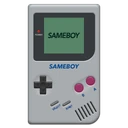
SameBoy is an open source Game Boy (DMG) and Game Boy Color (CGB) emulator, written in portable C. It has a native Cocoa frontend for macOS, an SDL frontend for other operating systems, and a libretro core. It also includes a text-based debugger with an expression evaluator.
Features common to both Cocoa and SDL versions:
- Supports Game Boy (DMG) and Game Boy Color (CGB) emulation
- Lets you choose the model you want to emulate regardless of ROM
- High quality 96KHz audio
- Battery save support
- Save states
- Advanced text-based debugger with an expression evaluator, disassembler, conditional breakpoints, conditional watchpoints, backtracing and other features
- Extremely high accuracy
- Emulates PCM_12 and PCM_34 registers
- T-cycle accurate emulation of LCD timing effects, supporting the Demotronic trick, Prehistorik Man, GBVideoPlayer and other tech demos
- Real time clock emulation
- Retina/High DPI display support, allowing a wider range of scaling factors without artifacts
- Optional frame blending (Requires OpenGL 3.2 or later)
- Several scaling algorithms (Including exclusive algorithms like OmniScale and Anti-aliased Scale2x; Requires OpenGL 3.2 or later or Metal)
ထုတ်ဝေသူ၏ ဖော်ပြချက် (အင်္ဂလိပ်)
SameBoy ဆိုတာ ဘာလဲ
SameBoy သည် LIJI32 ထုတ်ဝေသော Windows အတွက် Emulator များ အမျိုးအစား ပရိုဂရမ် ဖြစ်ပါသည်။ ဤစာရင်းရှိ Emulator များ အမျိုးအစားထဲတွင် လူကြိုက်များမှုအရ အဆင့် ၁၂ ဖြစ်ပါသည်။ C ဖြင့် ရေးသားထားပါသည်။ Windows အပြင် Linux အတွက်လည်း ရနိုင်ပါသည်။
ထည့်သွင်းခြင်းနှင့် လိုအပ်ချက်များ
တရားဝင် installer များကို 64-bit အတွက် Portable ပုံစံဖြင့် ရနိုင်ပါသည်။ ထည့်သွင်းစရာမလိုဘဲ တိုက်ရိုက် run နိုင်ပါသည် (portable)။
အပ်ဒိတ်များနှင့် ဗားရှင်းမှတ်တမ်း
နောက်ဆုံးဗားရှင်းမှာ 1.0.4 ဖြစ်ပါသည် (၂၀၂၆ အောက်တိုဘာ ၉ တွင် ထုတ်ဝေ)။ ၂၀၂၃ ဒီဇင်ဘာ ၁၂ မှစ၍ ဗားရှင်း ၁၀ ခုကို စာရင်းပြုထားပြီး တစ်ခုစီတွင် ကိုယ်ပိုင် installer ဖိုင်လင့်ခ်များ ပါဝင်ပါသည်။ ဆိုလိုသည်မှာ တစ်နှစ်လျှင် ထုတ်ဝေမှု ၃.၅ ခုခန့် ဖြစ်ပါသည်။ နောက်ဆုံးအပ်ဒိတ်သည် တစ်လမပြည့်သေးပါ။
လူကြိုက်များမှုနှင့် ဖိုင်အမျိုးအစားများ
Chocolatey package ကို ၇၁၂ ကြိမ် ဒေါင်းလုဒ်လုပ်ထားပါသည်။ GitHub ပေါ်ရှိ source code (LIJI32/SameBoy) တွင် ကြယ် ၂,၂၃၀ ပွင့် ရှိပါသည်။ ဆင်တူသော ပရိုဂရမ်များတွင် PCSX2၊ BizHawk နှင့် bsnes ပါဝင်ပါသည်။
GitHub ပေါ်ရှိ ပရောဂျက်ဖော်ပြချက်: “Game Boy and Game Boy Color emulator written in C”
အားသာချက်များ / အားနည်းချက်များ
အားသာချက်များ
- Portable - ထည့်သွင်းစရာမလိုဘဲ run နိုင်သည်
- ပြီးခဲ့သော နှစ်လအတွင်း အပ်ဒိတ်ထွက်ခဲ့သည်
- Linux တွင်လည်း အလုပ်လုပ်သည်
အားနည်းချက်များ
- Native ARM64 build မရှိပါ
အတိုချုပ်: SameBoy သည် 64-bit ကွန်ပျူတာများအတွက် Emulator များ ကိရိယာ ဖြစ်ပါသည်။
SameBoy ကို ဒေါင်းလုဒ်လုပ်ရန် လုံခြုံပါသလား
- ဖိုင်ကို ထုတ်ဝေသူ၏ ကိုယ်ပိုင်ဒိုမိန်း github.com မှ ပေးပို့ပါသည်
- ဒေါင်းလုဒ်လင့်ခ်သည် HTTPS ကို အသုံးပြုပါသည်
- SHA256 hash ထုတ်ပြန်ထားသဖြင့် ဖိုင်ကို စစ်ဆေးနိုင်ပါသည်:
777A29211E17443435DD0956B7AB775E6E9F40EE859ED4F2F14B43F7587D5A38· ဤ hash ၏ VirusTotal အစီရင်ခံစာကို ဖွင့်ပါ - လင့်ခ်ကို မစစ်ဆေးရသေးပါ
- ExeAtlas သည် installer များကို မသိမ်းဆည်း၊ မထုပ်ပိုး၊ မပြင်ဆင်ပါ
ဆက်စပ် လမ်းညွှန်: Windows တွင် ဖိုင်၏ SHA256 hash စစ်ဆေးနည်း
မကြာသေးမီ ဗားရှင်းများ
ဗားရှင်း ၁၀ ခုလုံး ›၃ နှစ်အတွင်း ဗားရှင်း ၁၀ ခု · တစ်နှစ်လျှင် ၃.၅ ခုခန့်
| ဗားရှင်း | ရက်စွဲ | အရွယ်အစား | ဖိုင်များ |
|---|---|---|---|
| 1.0.4နောက်ဆုံး | ၂၀၂၆ အောက်တိုဘာ ၉ | — | 64-bit ZIP |
| 1.0.3 | ၂၀၂၆ မတ် ၄ | — | 64-bit ZIP |
| 1.0.2 | ၂၀၂၅ ဩဂုတ် ၃ | — | 64-bit ZIP |
| 1.0.1 | ၂၀၂၅ ဧပြီ ၄ | — | 64-bit ZIP |
| 1.0 | ၂၀၂၄ ဒီဇင်ဘာ ၁၁ | — | CPU အားလုံး ZIP |
| 0.16.6 | ၂၀၂၄ ဇွန် ၁၄ | — | 64-bit ZIP |
| 0.16.3 | ၂၀၂၄ ဧပြီ ၁၂ | — | 64-bit ZIP |
| 0.16.2 | ၂၀၂၄ ဇန်နဝါရီ ၁၃ | — | 32-bit ZIP |
Command line မှ ထည့်သွင်းခြင်း
အသံတိတ်ထည့်သွင်းခြင်း ›winget install --id LIJI32.SameBoy -echoco install sameboy -yဆက်စပ် လမ်းညွှန်: winget အသုံးပြုနည်း - ပရိုဂရမ် ထည့်သွင်းခြင်းနှင့် အပ်ဒိတ်
အခြားစနစ်များအတွက်လည်း ရနိုင်ပါသည်
flatpak install flathub io.github.sameboy.SameBoyအချက်အလက်
- ထုတ်ဝေသူ
- LIJI32
- အမျိုးအစား
- Emulator များ
- လိုင်စင်
- X11 License
- Source code
- github.com/LIJI32/SameBoy
- ရေးသားထားသည့် ဘာသာ
- C
- အသက်အရွယ် သတ်မှတ်ချက်
- အသက်အရွယ်အားလုံး
- လိုအပ်ချက်
- Windows 11 / 10
- Architecture
- 64-bit
- Installer အမျိုးအစား
- Portable
- အခြား platform များ
- Linux
- ဗားရှင်း
- 1.0.4
- ထုတ်ဝေသည့်နေ့
- ၂၀၂၆ အောက်တိုဘာ ၉
- စာရင်းထဲ ထည့်သည့်နေ့
- ၂၀၂၃ ဒီဇင်ဘာ ၁၂
- စာရင်းရှိ ဗားရှင်းများ
- 10
- တစ်နှစ်လျှင် အပ်ဒိတ်
- ၃.၅
- Chocolatey ဒေါင်းလုဒ်
- ၇၁၂
- GitHub ကြယ်
- ၂,၂၃၀
- GitHub fork များ
- ၂၈၃
- ဝဘ်ဆိုက်
- github.com
- winget ID
- LIJI32.SameBoy
- Chocolatey package
- sameboy
အဆင့်သတ်မှတ်ချက်နှင့် သုံးသပ်ချက်များ
သုံးသပ်ချက် မရှိသေးပါ။ ပထမဆုံး အဆင့်သတ်မှတ်သူ ဖြစ်လိုက်ပါ။
SameBoy အစားထိုးပရိုဂရမ်များ
အားလုံးကြည့်ရန် ›-
 ပွင့်လင်းရင်းမြစ် (open source)၁.၁ သောင်း ↓
 -
 ပွင့်လင်းရင်းမြစ် (open source)၄.၃ ထောင် ↓
 -
 ပွင့်လင်းရင်းမြစ် (open source)၁.၁ ထောင် ↓
 -
 ပွင့်လင်းရင်းမြစ် (open source)★ ၁ သောင်း
 -
 ပွင့်လင်းရင်းမြစ် (open source)★ ၃.၉ ထောင်
 -
 ပွင့်လင်းရင်းမြစ် (open source)★ ၃.၄ သောင်း
 - ပွင့်လင်းရင်းမြစ် (open source)၆.၄ သောင်း ↓
-
 မူပိုင် (proprietary)၂.၁ သောင်း ↓
မေးလေ့ရှိသောမေးခွန်းများ
SameBoy ကို ဒေါင်းလုဒ်လုပ်ရန် လုံခြုံပါသလား
ဒေါင်းလုဒ်ကို github.com (ထုတ်ဝေသူပိုင်) မှ ရယူပါသည်။ ExeAtlas သည် ဖိုင်ကို မသိမ်းဆည်း၊ မပြောင်းလဲပါ။ ဖိုင်၏ SHA256 hash ကို ဤနေရာတွင် ပြထားသော hash နှင့် နှိုင်းယှဉ်ပါ သို့မဟုတ် ထို hash ၏ VirusTotal အစီရင်ခံစာကို ဖွင့်ကြည့်ပါ။
SameBoy ကို winget ဖြင့် ဘယ်လို ထည့်သွင်းရမလဲ
PowerShell သို့မဟုတ် Windows Terminal ကို ဖွင့်ပြီး ဤစာမျက်နှာရှိ winget command ကို run ပါ။ winget သည် တရားဝင် installer ကို ဒေါင်းလုဒ်လုပ်ပြီး မ run မီ ၎င်း၏ SHA256 hash ကို စစ်ဆေးပါသည်။
SameBoy သည် ARM (Windows on Arm) တွင် အလုပ်လုပ်ပါသလား
ARM64 build မရှိပါ။ Windows 11 on Arm သည် 64-bit ဗားရှင်းကို emulation ဖြင့် run နိုင်ပါသည်။
SameBoy ဗားရှင်းဟောင်းကို ဘယ်မှာ ဒေါင်းလုဒ်လုပ်ရမလဲ
ဗားရှင်းများ စာမျက်နှာတွင် ဗားရှင်း ၁၀ ခုလုံးကို ၂၀၂၃ ဒီဇင်ဘာ ၁၂ အထိ တရားဝင် installer ဖိုင်လင့်ခ်များနှင့်အတူ စာရင်းပြုထားပါသည်။
SameBoy ကို Administrator ခွင့်မပါဘဲ သုံးနိုင်ပါသလား
သုံးနိုင်ပါသည်။ Portable ဖြစ်သဖြင့် ဖြည်ပြီး run ရုံသာ ဖြစ်ပါသည်။
SameBoy အစား ဘာတွေ သုံးနိုင်သလဲ
PCSX2၊ BizHawk၊ bsnes၊ Cemu နှင့် Visual Boy Advance - M။ အစားထိုးပရိုဂရမ်များ စာမျက်နှာတွင် ၎င်းတို့ကို နှိုင်းယှဉ်ထားပါသည်။


