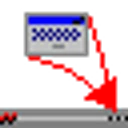
RBTray is a small Windows program that runs in the background and allows windows to be minimized to the system tray by:\n- Right-clicking its minimize button\n- Shift-right-clicking its title bar\n- Using the Control-Alt-Down hotkey\nNot all of these methods will work for every window, so please use whichever method works best for your needs. Also note that some types of windows can not be properly minimized at all, most notably Windows Store application windows such as WhatsApp.\nRBTray is free, open source, and is distributed under the terms of the GNU General Public Licence.
ထုတ်ဝေသူ၏ ဖော်ပြချက် (အင်္ဂလိပ်)
RBTray ဆိုတာ ဘာလဲ
Driver နှင့် hardware အမျိုးအစားတွင် ပါဝင်သော RBTray သည် ပွင့်လင်းရင်းမြစ် Windows ဆော့ဖ်ဝဲ ဖြစ်ပြီး Benbuck Nason က ထုတ်ဝေပါသည်။ ဤစာရင်းရှိ Driver နှင့် hardware အမျိုးအစားထဲတွင် လူကြိုက်များမှုအရ အဆင့် ၃၃ ဖြစ်ပါသည်။ C++ ဖြင့် ရေးသားထားပါသည်။
ထည့်သွင်းခြင်းနှင့် လိုအပ်ချက်များ
ထုတ်ဝေသူသည် 64-bit နှင့် 32-bit Windows အတွက် Portable installer များကို ပေးထားပါသည်။ ထည့်သွင်းစရာမလိုဘဲ တိုက်ရိုက် run နိုင်ပါသည် (portable)။
လူကြိုက်များမှုနှင့် ဖိုင်အမျိုးအစားများ
Chocolatey package ကို ၃,၃၅၉ ကြိမ် ဒေါင်းလုဒ်လုပ်ထားပါသည်။ GitHub ပေါ်ရှိ source code (benbuck/rbtray) တွင် ကြယ် ၁,၅၀၈ ပွင့် ရှိပါသည်။ ဆင်တူသော ပရိုဂရမ်များတွင် Barrier၊ Deskflow နှင့် Dokan Library ပါဝင်ပါသည်။
GitHub ပေါ်ရှိ ပရောဂျက်ဖော်ပြချက်: “A fork of RBTray from http://sourceforge.net/p/rbtray/code/.”
အားသာချက်များ / အားနည်းချက်များ
အားသာချက်များ
- ပွင့်လင်းရင်းမြစ် - code ကို မည်သူမဆို စစ်ဆေး၍ build လုပ်နိုင်သည်
- Portable - ထည့်သွင်းစရာမလိုဘဲ run နိုင်သည်
အားနည်းချက်များ
- Native ARM64 build မရှိပါ
- တစ်နှစ်ကျော် အပ်ဒိတ် မထွက်ပါ
အတိုချုပ်: RBTray သည် 64-bit နှင့် 32-bit ကွန်ပျူတာများအတွက် ပွင့်လင်းရင်းမြစ် Driver နှင့် hardware ကိရိယာ ဖြစ်ပါသည်။ အပ်ဒိတ်များ နှေးကွေးလာပါသည်။
RBTray ကို ဒေါင်းလုဒ်လုပ်ရန် လုံခြုံပါသလား
- ဖိုင်ကို ထုတ်ဝေသူ၏ ကိုယ်ပိုင်ဒိုမိန်း github.com မှ ပေးပို့ပါသည်
- ဒေါင်းလုဒ်လင့်ခ်သည် HTTPS ကို အသုံးပြုပါသည်
- SHA256 hash ထုတ်ပြန်ထားသဖြင့် ဖိုင်ကို စစ်ဆေးနိုင်ပါသည်:
0BC420262A583A06E41418547A151803D27739D5E6CCB79F0F1939E902E667AC· ဤ hash ၏ VirusTotal အစီရင်ခံစာကို ဖွင့်ပါ - လင့်ခ်ကို မစစ်ဆေးရသေးပါ
- Source code ကို အများပြည်သူ ကြည့်နိုင်ပါသည်
- ExeAtlas သည် installer များကို မသိမ်းဆည်း၊ မထုပ်ပိုး၊ မပြင်ဆင်ပါ
ဆက်စပ် လမ်းညွှန်: Windows တွင် ဖိုင်၏ SHA256 hash စစ်ဆေးနည်း
မကြာသေးမီ ဗားရှင်းများ
ဗားရှင်း ၁ ခုလုံး ›| ဗားရှင်း | ရက်စွဲ | အရွယ်အစား | ဖိုင်များ |
|---|---|---|---|
| 4.14နောက်ဆုံး | ၂၀၂၂ ဇူလိုင် ၆ | — | 32-bit ZIP64-bit ZIP |
Command line မှ ထည့်သွင်းခြင်း
အသံတိတ်ထည့်သွင်းခြင်း ›winget install --id Benbuck.RBTray -echoco install rbtray -yscoop install extras/rbtrayဆက်စပ် လမ်းညွှန်: winget အသုံးပြုနည်း - ပရိုဂရမ် ထည့်သွင်းခြင်းနှင့် အပ်ဒိတ်
အချက်အလက်
- ထုတ်ဝေသူ
- Benbuck Nason
- အမျိုးအစား
- Driver နှင့် hardware
- လိုင်စင်
- GPL-2.0
- စျေးနှုန်း
- အခမဲ့
- Source code
- github.com/benbuck/rbtray
- ရေးသားထားသည့် ဘာသာ
- C++
- လိုအပ်ချက်
- Windows 11 / 10
- Architecture
- 64-bit, 32-bit
- Installer အမျိုးအစား
- Portable
- ဗားရှင်း
- 4.14
- ထုတ်ဝေသည့်နေ့
- ၂၀၂၂ ဇူလိုင် ၆
- စာရင်းထဲ ထည့်သည့်နေ့
- ၂၀၂၆ ဧပြီ ၃၀
- စာရင်းရှိ ဗားရှင်းများ
- 1
- Chocolatey ဒေါင်းလုဒ်
- ၃,၃၅၉
- GitHub ကြယ်
- ၁,၅၀၈
- GitHub fork များ
- ၁၂၀
- ဝဘ်ဆိုက်
- github.com
- winget ID
- Benbuck.RBTray
- Chocolatey package
- rbtray
- Scoop package
- extras/rbtray
အဆင့်သတ်မှတ်ချက်နှင့် သုံးသပ်ချက်များ
သုံးသပ်ချက် မရှိသေးပါ။ ပထမဆုံး အဆင့်သတ်မှတ်သူ ဖြစ်လိုက်ပါ။
RBTray အစားထိုးပရိုဂရမ်များ
အားလုံးကြည့်ရန် ›-
 ပွင့်လင်းရင်းမြစ် (open source)၅.၆ သောင်း ↓
 -
 ပွင့်လင်းရင်းမြစ် (open source)၅ ထောင် ↓
 -
 ပွင့်လင်းရင်းမြစ် (open source)၄.၂ သောင်း ↓
 -
 ပွင့်လင်းရင်းမြစ် (open source)၁.၂ သိန်း ↓
 -
 ပွင့်လင်းရင်းမြစ် (open source)၁ သောင်း ↓
 -
 ပွင့်လင်းရင်းမြစ် (open source)၂ သောင်း ↓
 -
 ပွင့်လင်းရင်းမြစ် (open source)၃.၁ ထောင် ↓
 -
 ပွင့်လင်းရင်းမြစ် (open source)၂.၃ သောင်း ↓
မေးလေ့ရှိသောမေးခွန်းများ
RBTray သည် အခမဲ့လား
ဟုတ်ပါသည်။ RBTray သည် ပွင့်လင်းရင်းမြစ် ဆော့ဖ်ဝဲ ဖြစ်ပါသည် (GPL-2.0 လိုင်စင်)။
RBTray ကို ဒေါင်းလုဒ်လုပ်ရန် လုံခြုံပါသလား
ဒေါင်းလုဒ်ကို github.com (ထုတ်ဝေသူပိုင်) မှ ရယူပါသည်။ ExeAtlas သည် ဖိုင်ကို မသိမ်းဆည်း၊ မပြောင်းလဲပါ။ ဖိုင်၏ SHA256 hash ကို ဤနေရာတွင် ပြထားသော hash နှင့် နှိုင်းယှဉ်ပါ သို့မဟုတ် ထို hash ၏ VirusTotal အစီရင်ခံစာကို ဖွင့်ကြည့်ပါ။
RBTray ကို winget ဖြင့် ဘယ်လို ထည့်သွင်းရမလဲ
PowerShell သို့မဟုတ် Windows Terminal ကို ဖွင့်ပြီး ဤစာမျက်နှာရှိ winget command ကို run ပါ။ winget သည် တရားဝင် installer ကို ဒေါင်းလုဒ်လုပ်ပြီး မ run မီ ၎င်း၏ SHA256 hash ကို စစ်ဆေးပါသည်။
RBTray သည် ARM (Windows on Arm) တွင် အလုပ်လုပ်ပါသလား
ARM64 build မရှိပါ။ Windows 11 on Arm သည် 64-bit နှင့် 32-bit ဗားရှင်းကို emulation ဖြင့် run နိုင်ပါသည်။
RBTray ကို Administrator ခွင့်မပါဘဲ သုံးနိုင်ပါသလား
သုံးနိုင်ပါသည်။ Portable ဖြစ်သဖြင့် ဖြည်ပြီး run ရုံသာ ဖြစ်ပါသည်။
RBTray အစား ဘာတွေ သုံးနိုင်သလဲ
Barrier၊ Deskflow၊ Dokan Library၊ Display Driver Uninstaller နှင့် g-helper။ အစားထိုးပရိုဂရမ်များ စာမျက်နှာတွင် ၎င်းတို့ကို နှိုင်းယှဉ်ထားပါသည်။


