
이전 버전입니다. 현재 최신 버전은 2.5.0입니다. Wox 2.5.0 · 출시일:
설치 파일 2.4.8
| 아키텍처 | 형식 | 설치 범위 | 파일 크기 | 다운로드 | SHA256 |
|---|---|---|---|---|---|
| 64비트 | 포터블 | — | — | github.com | VirusTotal |
링크와 SHA256은 Windows 패키지 관리자 커뮤니티 매니페스트에서 가져왔습니다. 실행하기 전에 다운로드한 파일의 해시를 비교해 보십시오.
릴리스 노트
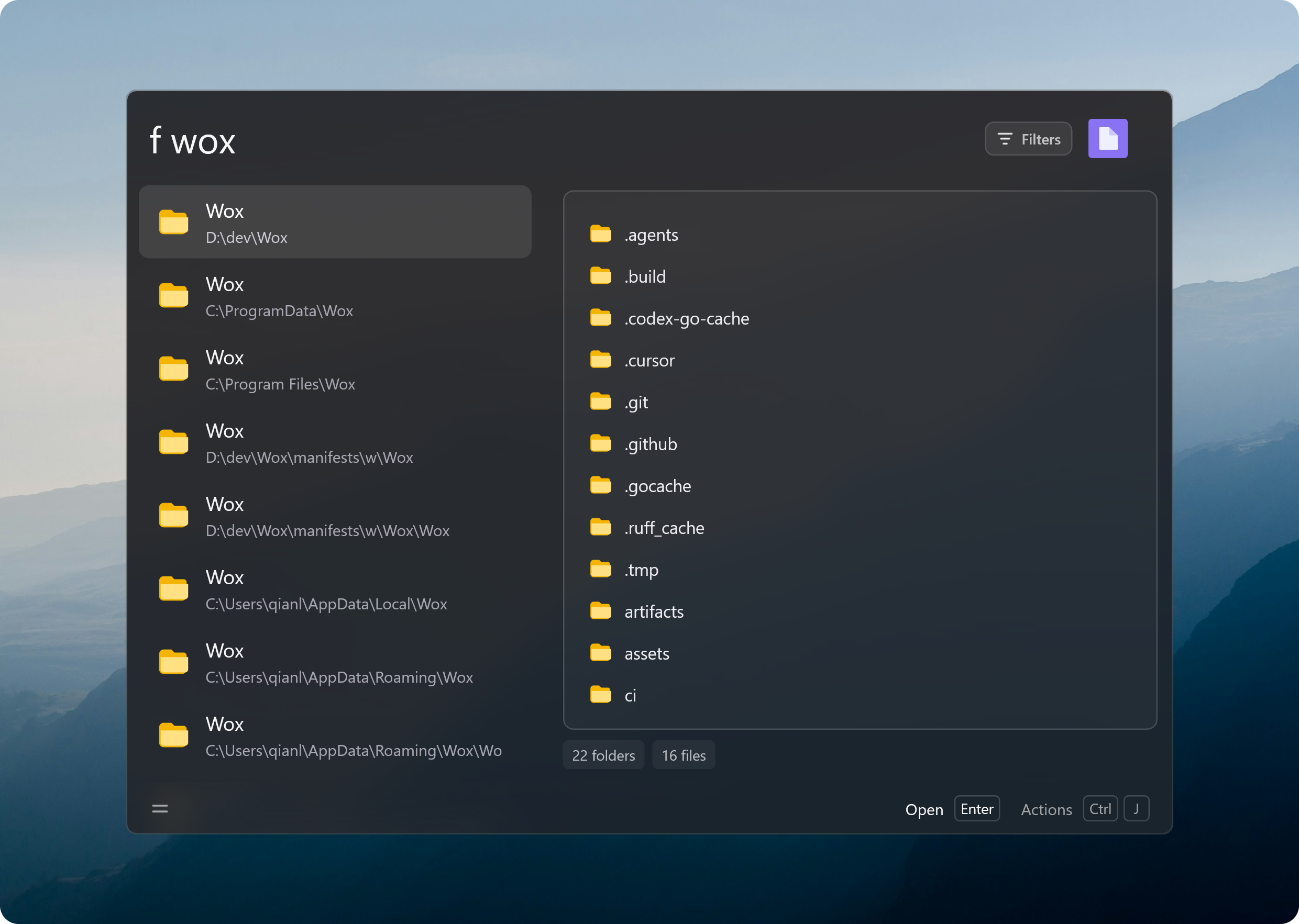
File searches are faster and use less memory. You can open a new app window with Ctrl/Cmd+Enter and choose where screenshots are saved.
- Improve
- [`File Search`] Speed up filename and path searches and use less memory when preparing the file list. Improve pinyin matching, prefer shorter names when matches are equally good, and put Recycle Bin files last. Choose how many files appear in searches without the `f` keyword.
- [`App`] Support requesting a new app window with Ctrl/Cmd+Enter [#4657](https://github.com/Wox-launcher/Wox/issues/4657). On Windows, search and open Control Panel items and tasks. Keep the app list up to date with less scanning.
- [`Folder`] Support browsing with `cd` or your chosen Folder keyword, including when using Shift+Enter from File Search. Keep the preview collapsed until you open it.
- [`Screenshot`] Support saving captures to a folder of your choice, including a OneDrive folder. Existing screenshots move automatically and remain searchable during the move. On Windows, support recording with FFmpeg installed through Scoop without opening a console window.
- [`Preview`] Support live plugin previews that keep your scroll position, selected text, and animations as they update. Refresh their content when Wox reopens.
- [`Settings`] Support software rendering to work around graphics driver problems, with a Restart Wox button to apply the change. You can also search for the Restart Wox command [#4637](https://github.com/Wox-launcher/Wox/issues/4637).
- [`Feedback`] Support restarting in debug mode to collect more detail about crashes and freezes. A visible label shows when debug mode is on.
- [`Linux`] Improve responsiveness when typing and scrolling in Settings.
- Fix
- [`File Search`] Fix missing or outdated results after file changes. On macOS, show recently modified files when the system's recent-file list is empty or unavailable.
- [`Quick Jump`] Keep files from the current folder above matches elsewhere.
- [`Query`] Keep fallback searches below ordinary matches, even when used frequently.
- [`App`] Fix missing Windows app icons and shortcuts losing their custom icons [#4665](https://github.com/Wox-launcher/Wox/issues/4665). On Linux, fix newly installed apps taking too long to appear when other launchers cannot be used.
- [`Plugin`] Fix Node.js plugins failing to start because of unrelated files in a parent folder. Show the actual startup error promptly instead of a long connection timeout [#4651](https://github.com/Wox-launcher/Wox/issues/4651).
- [`Settings`] Fix multi-select plugin settings losing earlier selections, plugin-provided settings not appearing, and live settings updates discarding edits or leaving buttons unresponsive. [#4644](https://github.com/Wox-launcher/Wox/pull/4644) [@stmluyuer](https://github.com/stmluyuer) [#4647](https://github.com/Wox-launcher/Wox/pull/4647) [@dragonish](https://github.com/dragonish)
- [`AI Chat`] Fix answers sometimes disappearing from the chat window on Windows while the launcher is hidden [#4646](https://github.com/Wox-launcher/Wox/issues/4646).
- [`Windows`] Fix freezes when hiding Wox with software rendering enabled [#4637](https://github.com/Wox-launcher/Wox/issues/4637). Fix blank windows, missing icons, and file pickers failing after prolonged use [#4639](https://github.com/Wox-launcher/Wox/issues/4639).
- Store
- Plugin
- [PortGenerator](https://github.com/dragonish/Wox.Plugin.PortGenerator) Check port usage / Generate random ports. [#4635](https://github.com/Wox-launcher/Wox/pull/4635) [@dragonish](https://github.com/dragonish)
- [ASCII Art Generator](https://github.com/dragonish/Wox.Plugin.ASCIIArtGenerator) Generate ASCII art strings. [#4655](https://github.com/Wox-launcher/Wox/pull/4655) [@dragonish](https://github.com/dragonish)
- [Kaomoji](https://github.com/dragonish/Wox.Plugin.Kaomoji) Search and copy kaomoji. [#4662](https://github.com/Wox-launcher/Wox/pull/4662) [@dragonish](https://github.com/dragonish)
- Theme
- [Dracula](https://gist.github.com/dragonish/c6118868fc93e7519ef1d11b2a5b0248) A dark theme inspired by the Dracula palette: near-black background, soft-white text, purple selection and cyan accents. Unofficial, not affiliated with Dracula Theme. [#4640](https://github.com/Wox-launcher/Wox/pull/4640) [@dragonish](https://github.com/dragonish)
- [Five Shades of Ink](https://gist.github.com/dragonish/2cf9d018af5fd48991be9de497128d81) Rice-paper background with five grades of ink — scorched, dense, heavy, pale and clear — and a cinnabar seal accent. [#4641](https://github.com/Wox-launcher/Wox/pull/4641) [@dragonish](https://github.com/dragonish)
- [Dai](https://gist.github.com/dragonish/9278791e2a2e09ee4281f97a45545730) Deep blue-black Dai ink, moon-white text, mineral blue-green accents, and a cinnabar seal stroke. [#4642](https://github.com/Wox-launcher/Wox/pull/4642) [@dragonish](https://github.com/dragonish)


